
How to Watch Disney Plus from anywhere in 2026?

Bisma Farrukh
Have you ever wanted to watch your favorite Disney shows or movies but couldn’t access Disney+ when traveling or living abroad? We feel your pain. Nothing’s worse than getting your Disney fix taken away. But don’t worry, we’ve got your back. We’ll walk through different methods you can use to watch Disney+ no matter where you are in the world. Whether using a Disney+ VPN, DNS proxy, or other tricks, we’ll cover it all step-by-step. You’ll be streaming Mickey Mouse and Marvel in no time. So get ready to learn how to watch Disney plus with VPN from anywhere and never miss an episode again!
Table of Contents
What to watch on Disney plus?
Disney+ is packed with movies and shows from Disney, Pixar, Marvel, Star Wars, National Geographic, and more. We’re talking over 600 films and thousands of TV episodes.
Some highlights include:
- Every Star Wars film ever made, plus new original series like The Mandalorian.
- The entire Marvel Cinematic Universe, as well as animated shows like Avengers Assemble and Ultimate Spider-Man.
- Disney classics like Snow White, Cinderella and The Little Mermaid, along with newer hits like Frozen and Moana.
- Pixar favorites such as Toy Story, Finding Nemo, Inside Out, and Coco.
- Muppets movies and shows, plus original shorts starring your favorite fuzzy friends.
- Exclusive Disney+ originals, like the live-action Lady and the Tramp and Timmy Failure: Mistakes Were Made.
Whether you’re nostalgic for childhood favorites, need your superhero fix, or just want to watch something fun with the family, Disney+ has you covered. Best of all, with mobile apps and the ability to download shows, you can enjoy Disney+ wherever life takes you.
Why You Can’t Access all of Disney+?
Unfortunately, Disney+ isn’t available everywhere due to licensing restrictions and rights. The streaming service is currently only offered in a select number of countries. If you live in an unsupported region, you won’t be able to sign up for a Disney+ subscription or access its library of content. If you have no idea how to change region on Disney+ then it’s better to use VPN for this purpose.
While licensing deals can be complicated, Disney is working to make the streaming service available in as many places as possible. New countries are being added over time, so keep checking if Disney+ becomes available where you are. Disney+ is available in several countries across six continents. As of 2023, these are the countries where Disney+ is currently available:
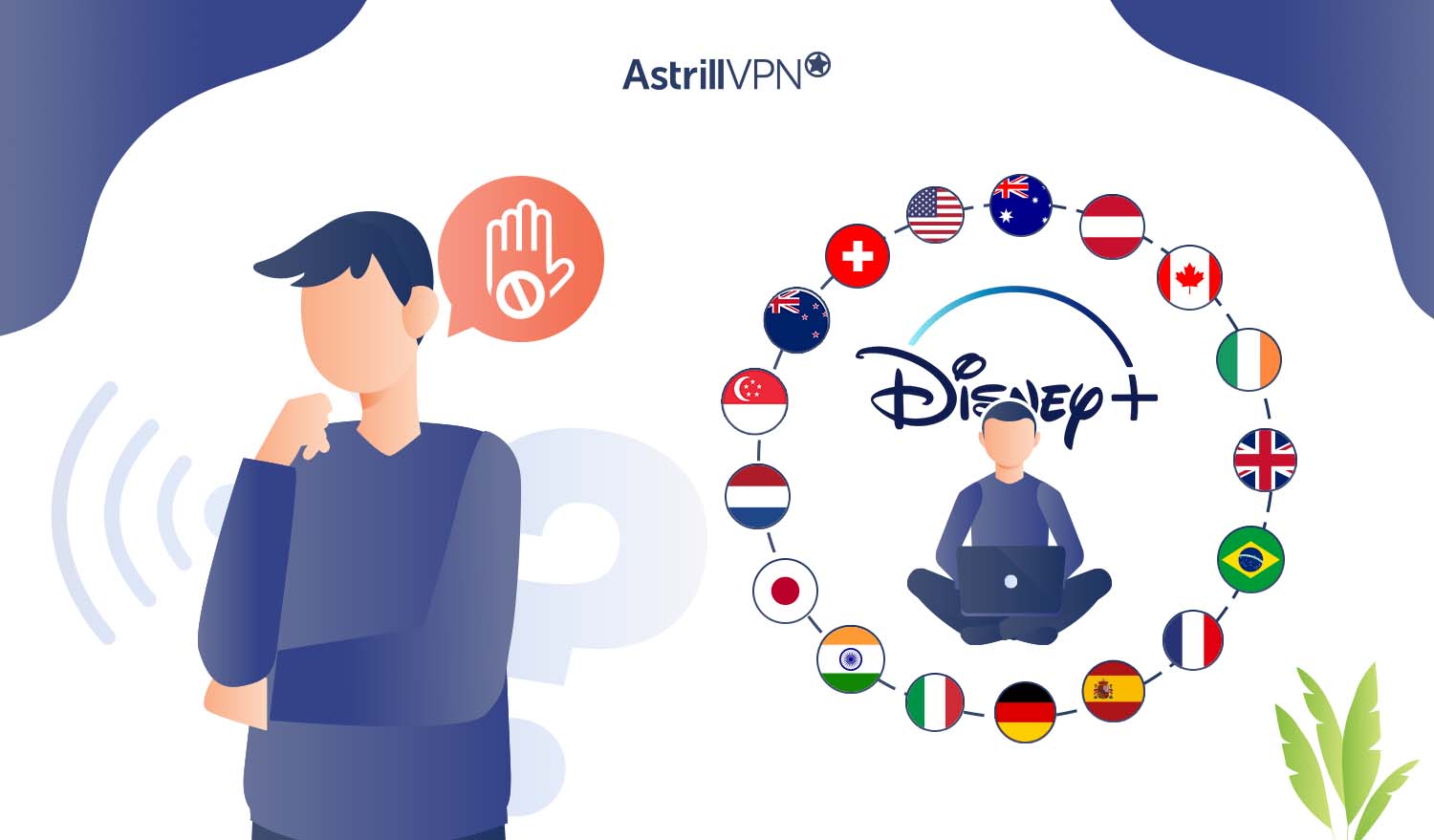
- North America
– United States
– Canada
- South America
– Brazil
- Europe
– United Kingdom
– Ireland
– France
– Germany
– Italy
– Spain
– Switzerland
– Austria
– Netherlands
- Asia
– Japan
– Singapore
– India
- Australia and Oceania
– Australia
– New Zealand
Disney+ launched first in the United States back in 2019 and has since expanded to other markets. The service offers access to Disney’s vast library of films and TV shows from studios like Disney, Pixar, Marvel, Star Wars, National Geographic, and more. The streaming service costs $7.99 per month or $79.99 per year in the United States. Pricing varies by market.
Where Is Disney+ Available? (Updated 2026)
Disney+ has expanded a lot since its 2019 US launch. As of 2026, the service is available in over 80 countries across six continents. Here’s where you can access it:
| Region | Countries |
|---|---|
| North America | United States, Canada, Mexico |
| Latin America | Argentina, Bolivia, Brazil, Chile, Colombia, Costa Rica, Dominican Republic, Ecuador, El Salvador, Guatemala, Honduras, Nicaragua, Panama, Paraguay, Peru, Uruguay, Venezuela |
| Europe | United Kingdom, Ireland, France, Germany, Italy, Spain, Netherlands, Austria, Switzerland, Belgium, Portugal, Sweden, Denmark, Norway, Finland, Poland, Czech Republic, Hungary, Romania, Greece, Turkey |
| Middle East & Africa | UAE, Saudi Arabia, Egypt, Qatar, Kuwait, Bahrain, Oman, Lebanon, Jordan, Morocco, South Africa |
| Asia Pacific | Australia, New Zealand, Japan, Singapore, South Korea, Hong Kong, Taiwan, Indonesia, Malaysia, Thailand, Philippines, Vietnam |
| South Asia | India (Disney+ Hotstar / JioHotstar) |
Notable gaps include China, Russia, and most of Central Africa, where Disney+ has no presence yet. If you’re in one of these regions, or if you’re traveling there, a VPN is the only way to access your account.
Worth noting: India has its own version of the service called JioHotstar (formerly Disney+ Hotstar). It has a different content library and a different pricing structure, so if you’re trying to access the standard international Disney+ library from India, you’ll want to connect to a US or UK server instead.
How to Unblock Disney+ with AstrillVPN?
A VPN or virtual private network masks your real IP address and reroutes your internet traffic through an encrypted tunnel. This allows you to bypass geographic restrictions and access Disney+ from anywhere. Here are the steps to access Disney+ unblocked with a Disney Plus VPN:
- Sign up for AstrillVPN.
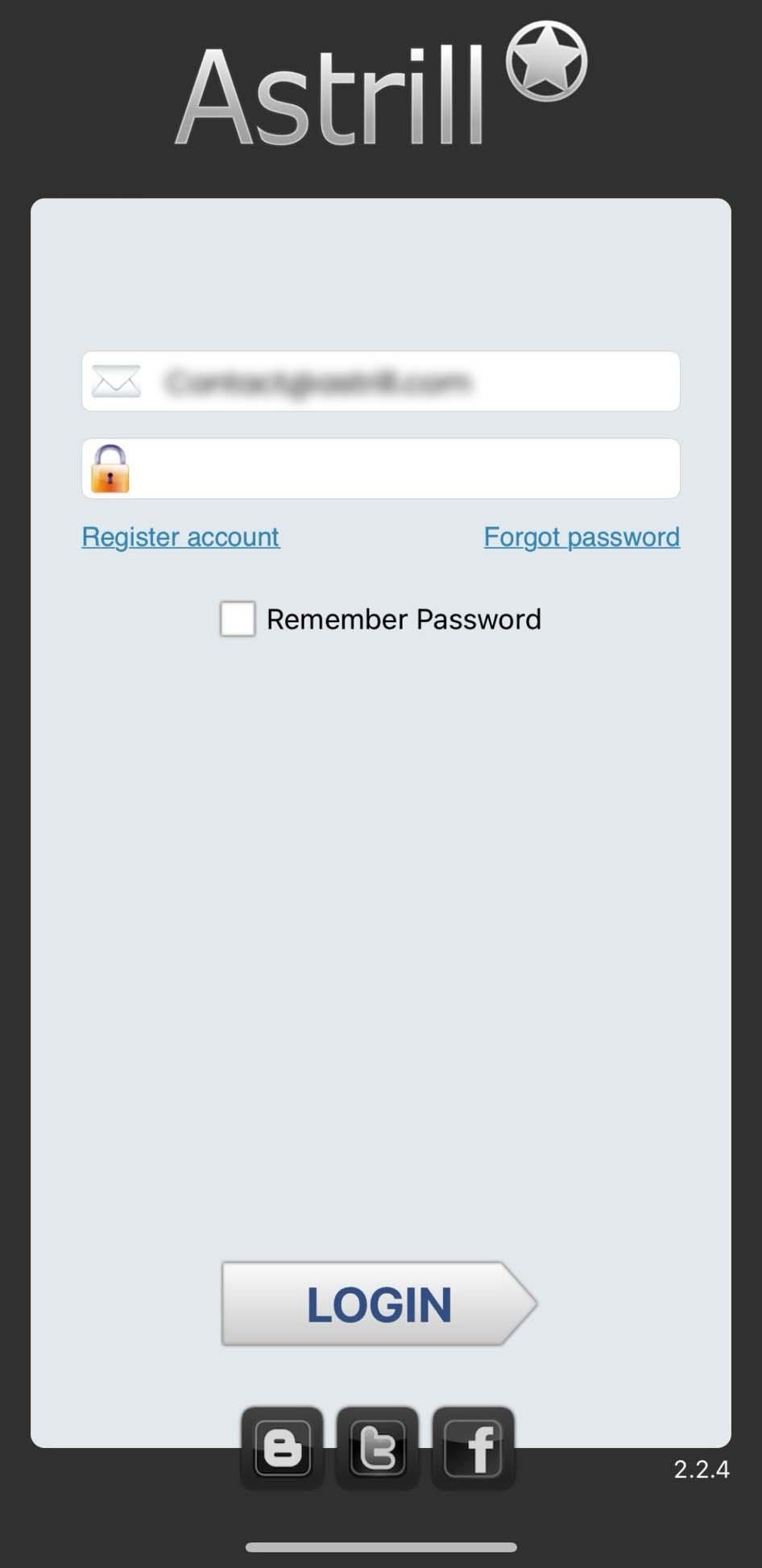
- Download their app on the device you want to stream Disney+ on.
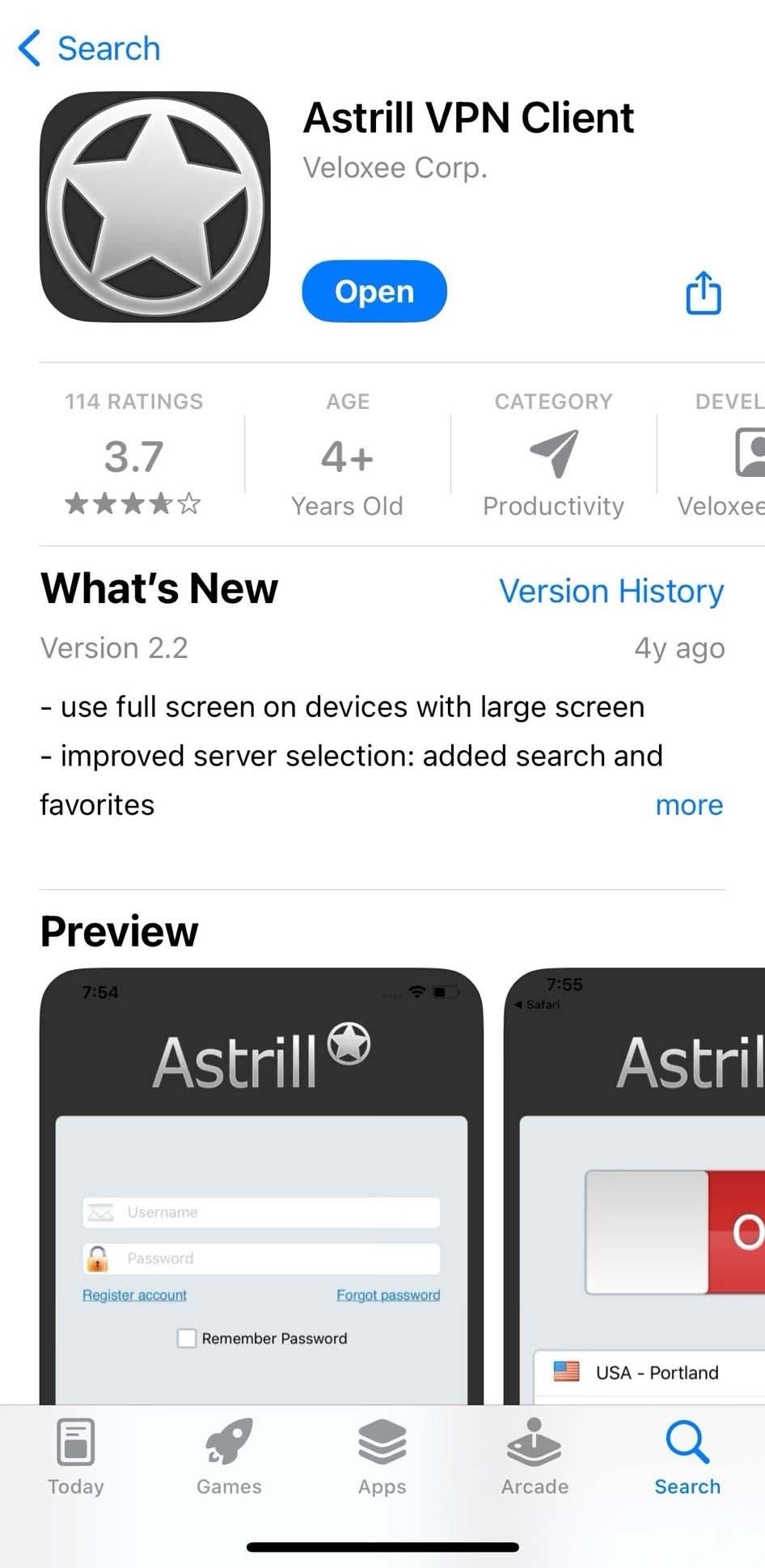
- Connect to an AstrillVPN server in a country where Disney+ is available, like the US, Canada or the Netherlands.
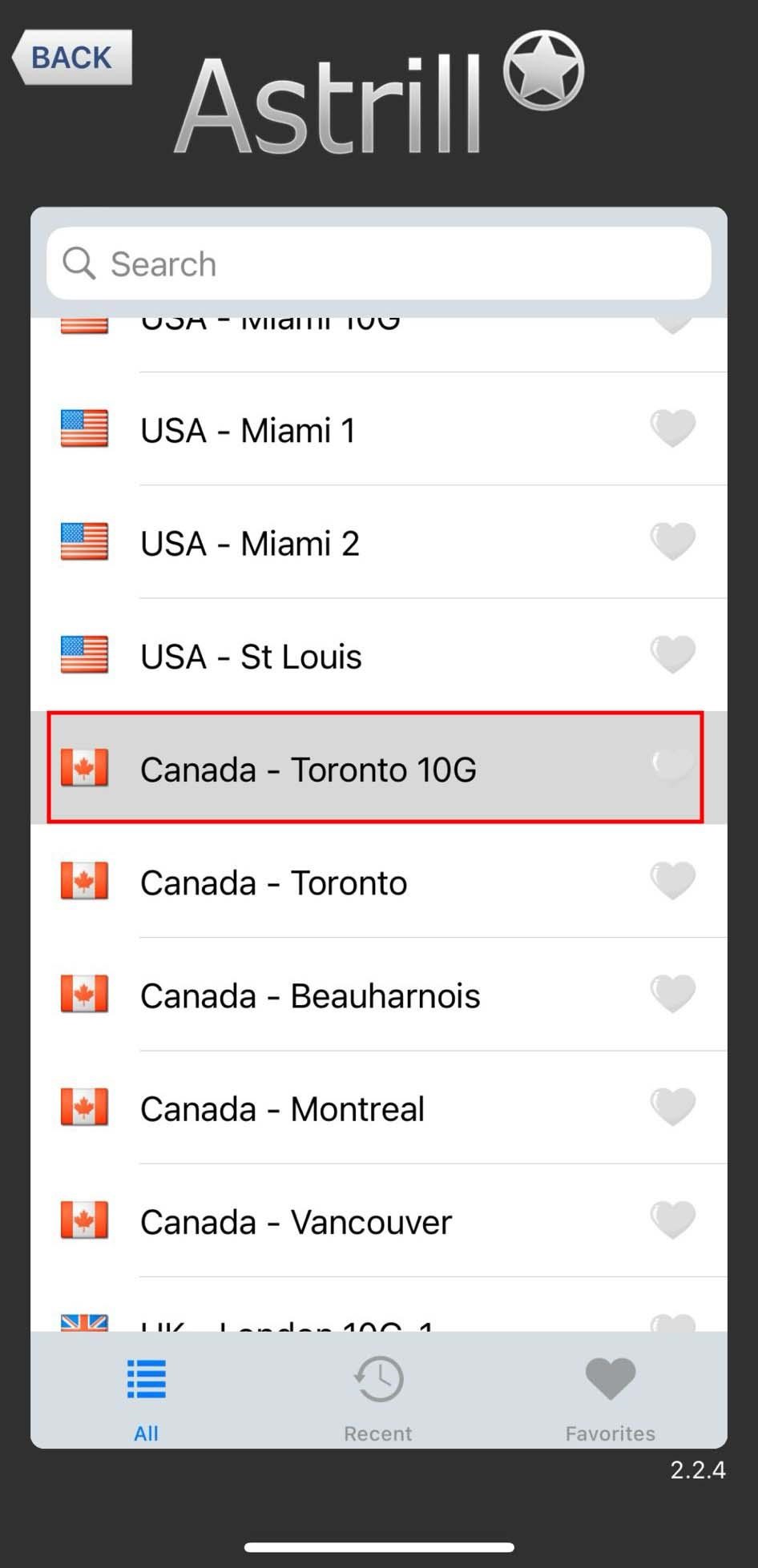
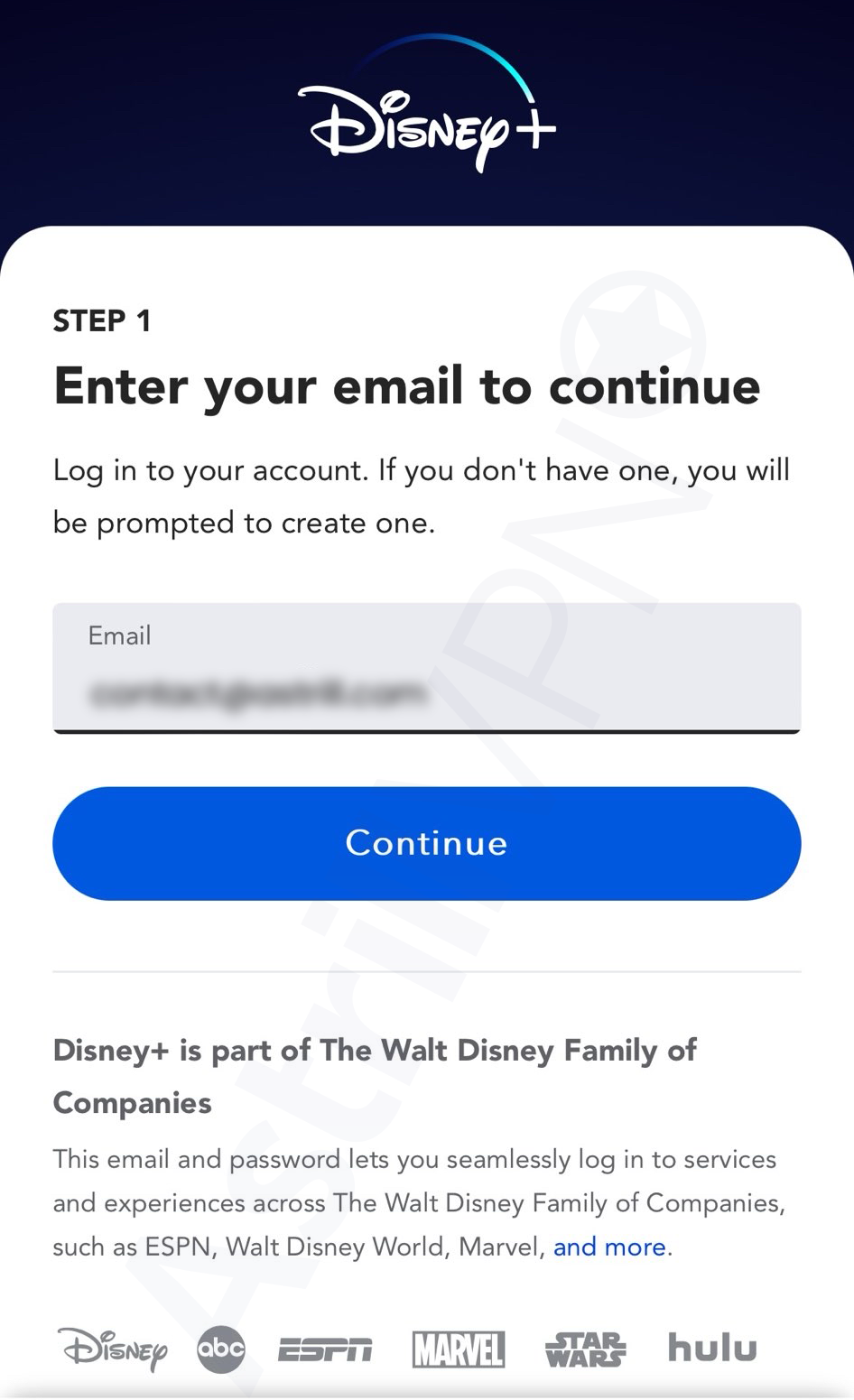
- Once connected, open the Disney+ app on your device or visit the Disney+ website.

- You should now be able to sign in or create an account to start watching like you would from within a supported country.
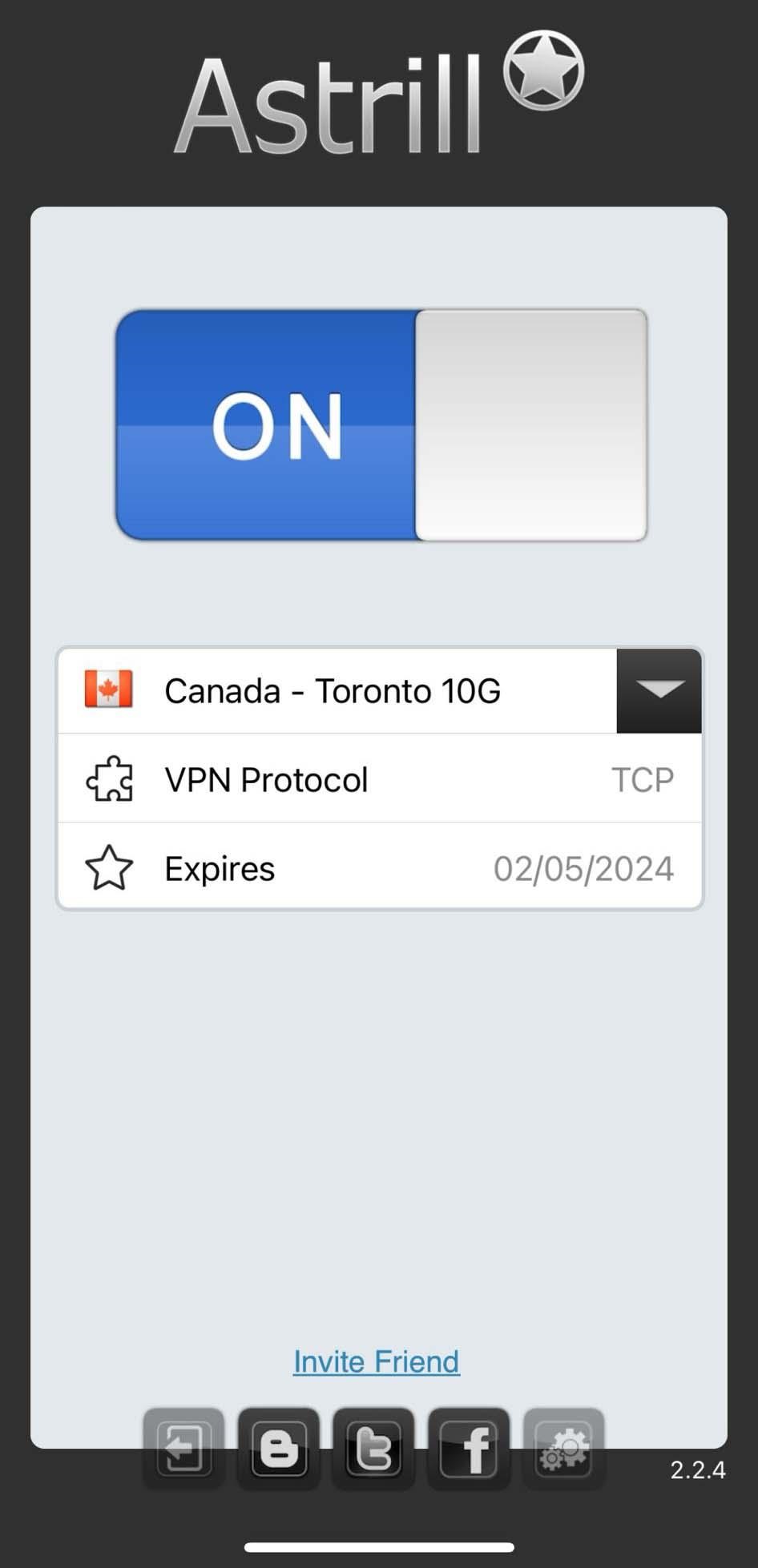
- The VPN will continuously reroute your data and mask your real location as long as it remains connected.
- For the best streaming experience, choose a AstrillVPN server that is not too crowded or overloaded. This will ensure fast speeds for buffer-free streaming. It also helps to select a VPN protocol optimized for streaming like OpenVPN UDP.
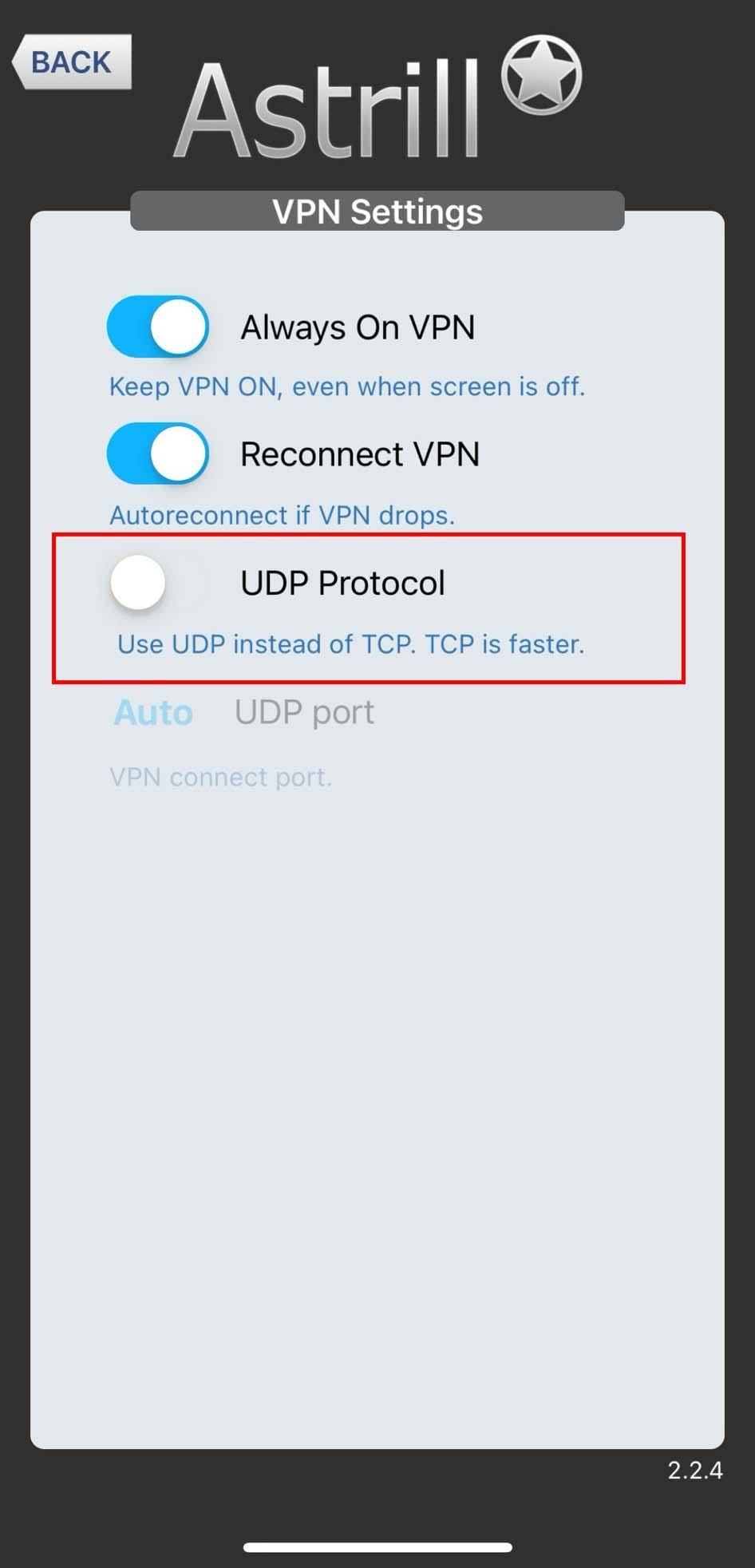
- If you notice any buffering or lag while watching, try switching to a different server.
Using a VPN for Disney plus is currently the only way to access it from a restricted location or while traveling abroad. Just remember to keep the VPN turned on whenever you want to enjoy the latest movies, shows and originals on Disney+ outside of supported regions. Disney+ has different content libraries available depending on which country you’re accessing it from. The good news is, it’s easy to change your Disney plus region and access disney+ complete content library.
Unblock Disney+ Worldwide – Try AstrillVPN Now
How to Watch Disney+ on Any Device with AstrillVPN
The setup process varies slightly depending on the device you’re streaming on. Here’s a quick breakdown for each one.
Windows and Mac
This is the simplest setup. Download the AstrillVPN app for your OS, sign in, connect to a server in a Disney+ supported country like the US or UK, then open Disney+ in your browser or the desktop app. That’s it.
- Download AstrillVPN from astrill.com
- Open the app and log in
- Pick a server location where Disney+ is available (US, UK, Canada, Australia)
- Open Disney+ and start watching
iPhone and iPad (iOS)
Download AstrillVPN from the App Store, connect to your chosen server, then open the Disney+ app. One thing to watch out for: if your App Store account is tied to a region where Disney+ isn’t available, you may need a different Apple ID to download the app in the first place.
- Install AstrillVPN from the App Store
- Connect to a US or UK server
- Open Disney+ and log in
If Disney+ isn’t in your App Store, you’ll need an Apple ID registered to a supported country to download it.
Android
Same drill as iOS. Install AstrillVPN from the Play Store, connect to a server, and open Disney+. Android is a bit more flexible since you can sideload the Disney+ APK if it’s not available in your region’s Play Store, though downloading APKs from third-party sources carries some risk.
- Install AstrillVPN from the Play Store
- Connect to a supported server location
- Open Disney+ or sideload the APK if the app isn’t available in your region
Amazon Fire TV Stick
AstrillVPN has a Fire TV app, so you can install it directly from the Amazon Appstore. Connect to your server first, then launch Disney+. If Disney+ isn’t in your local Appstore, you can switch your Amazon account region or sideload the app.
- Search for AstrillVPN in the Amazon Appstore
- Install, log in, and connect to a server
- Launch Disney+ from your Fire TV home screen
Apple TV
Apple TV doesn’t support third-party VPN apps natively, so you have two options. You can set up AstrillVPN directly on your router, which covers every device connected to your home network including Apple TV. Or you can share a VPN connection from your Mac to Apple TV via ethernet.
- Option 1: Set up AstrillVPN on your router (covers all devices on your network)
- Option 2: Share a VPN connection from a Mac using Internet Sharing
Smart TVs (Samsung, LG, Sony, etc.)
Most smart TVs don’t have a VPN app option. The cleanest fix is setting up AstrillVPN on your router so that your entire network runs through the VPN. Alternatively, you can connect your TV to a laptop or PC that’s already running AstrillVPN using an HDMI cable and use it as a display.
- Router setup: Install AstrillVPN on your router so all connected devices are covered
- HDMI workaround: Connect a laptop running AstrillVPN to your TV
Gaming Consoles (PlayStation and Xbox)
PS5, PS4, Xbox Series X/S, and Xbox One don’t support VPN apps. The router method is your best bet here. Set up AstrillVPN on your router, connect your console to that network, and Disney+ will think you’re in whatever country the VPN server is in.
- Set up AstrillVPN on your home router
- Connect your console to your home Wi-Fi as usual
- Open Disney+ on your console and log in
Chromecast
Chromecast streams content from your phone or laptop, so VPN coverage depends on that source device. If your phone or laptop is running AstrillVPN and you cast Disney+ to your Chromecast, it’ll work. You can also set up the VPN on your router for full coverage.
- Run AstrillVPN on the device you’re casting from
- Or set up AstrillVPN on your router for seamless casting
Why choose AstrillVPN for Disney+?
AstrillVPN is one of the best VPN for Disney+. Here are a few reasons why:
- AstrillVPN has servers in 58 countries, including the US. You can connect to a US server to access the full Disney+ catalog and content library as if you were located in America.
- AstrillVPN uses strong 256-bit AES encryption to keep your streaming activity and personal information private. Your internet service provider won’t be able to see what shows you’re watching or throttle your bandwidth.
- AstrillVPN has apps for Windows, Mac, iOS, and Android so you can use it on pretty much any device. Whether you want to watch Disney+ on your phone, tablet, laptop or smart TV, AstrillVPN has you covered.
- AstrillVPN offers unlimited bandwidth so you can stream Disney+ without any caps or restrictions. Binge-watch your favorite shows and movies without worrying about running out of data.
- AstrillVPN has a no-log policy which means it doesn’t store or share any of your personal information or streaming/browsing history. Your Disney+ viewing habits will remain private.
- AstrillVPN works well for streaming Disney+ and if you like the service, you can get its dedicated IP for as little as $5/month.
AstrillVPN is an ideal VPN to use for accessing Disney+ from anywhere due to its strong security, unlimited US streaming, multi-device support and affordable pricing.
Disney+ Libraries Differ More Than You’d Think
Getting past the geo-block is only part of the story. The library you can access depends on which country’s server you connect to, and the differences are real.
The US Library is the Largest
If you want the biggest selection, connect to a US server. The US has the full Marvel and Star Wars catalog, all Disney+ originals, and access to some Hulu content if you’re on the Disney Bundle plan. It’s the most complete version of the service.
UK, Australia, and Canada Have the Star Hub
Outside the US, Disney+ includes a section called Star, which has a broader mix of general entertainment content including FX shows, adult animation, and more international titles. US subscribers don’t get Star because Hulu fills that role in America. So if you connect to a UK or Australian server, you actually get access to content that isn’t available in the US library.
India Has a Completely Different Service
In India, Disney+ operates through JioHotstar (after the 2025 merger of Hotstar and JioCinema). The content lineup is heavily focused on Indian cricket, Bollywood, and regional language programming. The international Disney+, Marvel, and Star Wars catalog is more limited. If you’re in India and want the global library, connect to a US or UK server.
Quick Comparison by Region [New heading]
| Content Type | US | UK | Australia | Canada |
|---|---|---|---|---|
| Marvel & Star Wars | Full library | Full library | Full library | Full library |
| Disney+ Originals | All titles | All titles | All titles | All titles |
| Hulu content | Some titles via bundle | Not available | Not available | Not available |
| ESPN+ / live sports | Via bundle only | Not available | Not available | Not available |
| Star brand content | Not branded as Star | Available | Available | Available |
| Local originals | Highest volume | Growing | Growing | Growing |
| Total catalog size | Largest | Large | Large | Large |
Which Region Should You Connect To?
For most people: connect to a US server. You get the largest overall catalog. If you’ve already watched through the US library and want more variety, try switching to a UK or Australian server to explore Star content. The VPN makes it easy to jump between regions, so you’re not locked into one library.
Your ISP Is Probably Slowing Down Your Stream (Here’s How to Fix It)[New heading]
A lot of people think buffering issues are a Disney+ problem. Often, they’re actually an ISP problem. When your internet provider detects that you’re streaming video, some will deliberately reduce your bandwidth. It’s called throttling, and it’s more common than most people realize.
You don’t need to be in a blocked country for this to affect you. It happens to people in the US, UK, and everywhere else where streaming is completely legal. The ISP simply sees heavy data usage from a streaming service and slows it down to manage network traffic.
How a VPN Fixes This
When you connect through AstrillVPN, your ISP can see that data is moving but can’t see what that data is. It looks like encrypted traffic, not a Netflix or Disney+ stream. So the throttle trigger never fires. A lot of users notice a genuine improvement in streaming quality just from this alone, even when they weren’t trying to unblock anything.
What Speed Does Disney+ Actually Need?
Disney+ has published its own minimum speed requirements:
- 5 Mbps for HD streaming
- 25 Mbps for 4K Ultra HD
If your connection is above those thresholds but you’re still seeing buffering, throttling is very likely the culprit. Run a speed test with and without AstrillVPN connected and compare. If the VPN result is faster or more stable, that confirms your ISP was interfering.
Picking the Right Server for Speed
The further a VPN server is from your physical location, the more latency you’ll add to your connection. For the best streaming performance, connect to the closest server in a supported Disney+ country. If you’re in Europe, a UK or Netherlands server will outperform a US one. If you’re in Southeast Asia, Singapore or Australia will give you better results than a US server.
AstrillVPN’s OpenVPN UDP protocol is optimized for streaming. If you’re seeing any lag, make sure you’re not running a protocol that prioritizes security over speed.
Is There a Way to Unblock and Watch Disney Plus for Free Online?
Fortunately, there are a few ways to access Disney+ even if it’s geo-restricted or unavailable in your country. Using a virtual private network or VPN is probably the easiest method.
A VPN allows you to connect to a server in a country where Disney+ is available, like the US or Canada. It masks your real IP address and tricks Disney+ into thinking you’re accessing it from an approved location. Many VPN services offer apps for Windows, Mac, Android and iOS so you can watch Disney+ on your laptop, phone or streaming device no matter where you are.
These services do charge a monthly fee and allow you to access Disney+ from your location. While using a VPN is a simple workaround, keep in mind that accessing streaming services through VPNs is technically against their terms of service. However, many users report that streaming platforms rarely take action against individuals circumventing geo-restrictions in this way.
Why Free VPNs Don’t Work for Disney+
Free VPNs sound like a reasonable first option. They’re not, at least not for streaming. Here’s what actually happens when you try to use one.
Disney+ Blocks Them Quickly
Disney+ actively maintains a list of IP addresses associated with VPN providers and blocks them. Staying ahead of that list requires constant server refreshes and technical investment. Free VPN providers don’t have the resources to keep up. By the time you try to connect through a free VPN, there’s a good chance that IP address is already on Disney’s blocklist.
The Speed is Unusable for Streaming
Free VPNs typically run a small number of servers shared between a large number of users. More users per server means slower speeds for everyone. Streaming in HD requires a consistent 5 Mbps connection. Streaming in 4K needs 25 Mbps. Most free VPNs struggle to hit either of those benchmarks during peak hours.
Many of Them Log Your Data
This is the part that doesn’t get talked about enough. Running servers costs money. Free VPN providers have to make that money somewhere. A significant number of them do it by logging your browsing activity and selling it to advertisers. You’d essentially be trading your streaming privacy for a service that doesn’t even work properly.
Bandwidth Caps Make Bingeing Impossible
Even the free VPNs that technically work often impose monthly data caps in the range of 500MB to 2GB. A single hour of HD streaming on Disney+ uses roughly 2 to 3 GB. A data cap means you run out in less than an episode. At that point the free VPN isn’t actually useful for streaming at all.
FAQs
Disney+ content libraries differ in each country based on licensing agreements. The U.S. Disney+ library has the largest content selection. To access the full U.S. library from anywhere, you’ll need a VPN. Connect to a U.S. server and you’ll be able to see the entire content library that’s available in the U.S.
The United States, Canada, Australia, and Western Europe currently have the largest content libraries on Disney+. The U.S. and Canada offer more than 600 movies and TV shows, while new titles are still rolling out across Europe and other regions. If you want to access the biggest library possible, connect to a VPN server located in the U.S. or Canada.
Disney+ and Netflix each have pros and cons. Disney+ is best for those wanting to stream Disney, Pixar, Marvel and Star Wars content in one place. Netflix has a wider range of movies, TV shows, and original programming from other studios. In terms of streaming quality and features, Disney+ and Netflix are comparable. The best option for you depends on the types of content you prefer to watch. Using a VPN, you can easily switch between Disney+ libraries around the world and compare to see which you like better.
There are actually a few free VPNs that work with Disney Plus. Of course, free VPNs tend to have some limitations compared to paid VPNs, and they are risky to use. It’s better to use paid VPNs for these.
When it comes to finding the best VPN for Disney Plus, AstrillVPN is the top choice for this. This is likely the best overall option, as it has proven to be very reliable for unblocking Disney Plus. AstrillVPN has fast speeds, a large number of servers worldwide, and strong encryption. It also has a strict no-logging policy, so your data and activity will remain private.
Disney Plus is available in many countries worldwide, so you have options if you want to buy it while traveling or living abroad. The Disney Plus service does vary slightly by region, including available content and pricing. However, with a VPN or smart DNS service, you can access your Disney Plus account from anywhere and still watch all the content available in your home country.
To buy Disney Plus in another country, you first need to create an account using that country’s website. Disney Plus accounts are region-locked, so you must sign up through disneyplus.com/country to access content for that region. Once you have an account, you can pay for your subscription in that country’s currency using a local payment method like a credit card.
Conclusion
With a few simple steps, you can access Disney+ no matter where you are. A VPN unlocks the world of streaming content, so you don’t have to miss your favorite shows and movies when you travel or live abroad. Sign up for a reliable VPN, download the app, connect to a server in a Disney+ country, and you’re ready to go. Now you can watch Disney+ on all your devices wherever you are. Enjoy unlimited access to all the magical entertainment from Disney, Pixar, Marvel, Star Wars and more. So what are you waiting for? Start streaming your fave Disney+ exclusives from anywhere today!

Secure your privacy instantly. Try AstrillVPN with zero risk.
About The Author


No comments were posted yet